
Books and Templates
What are books?
Section titled “What are books?”Books (sometimes called business units) are the top-level containers for your pricing and quoting. Each book can have its own services, materials, labour rates, and markup rules. When you create or work on a quote, you are usually working within a specific book. Your admin may have set up one book per region, division, or trade.
Every book has a calculation type (Margin or Billable) that decides how brix turns your costs into customer prices. This is the single most important decision when setting a book up. See:
- Calculation types: Margin vs Billable: pick the right type before creating a book (it’s locked once saved).
- Configuring a Book: step-by-step setup walkthrough.
Where to find books
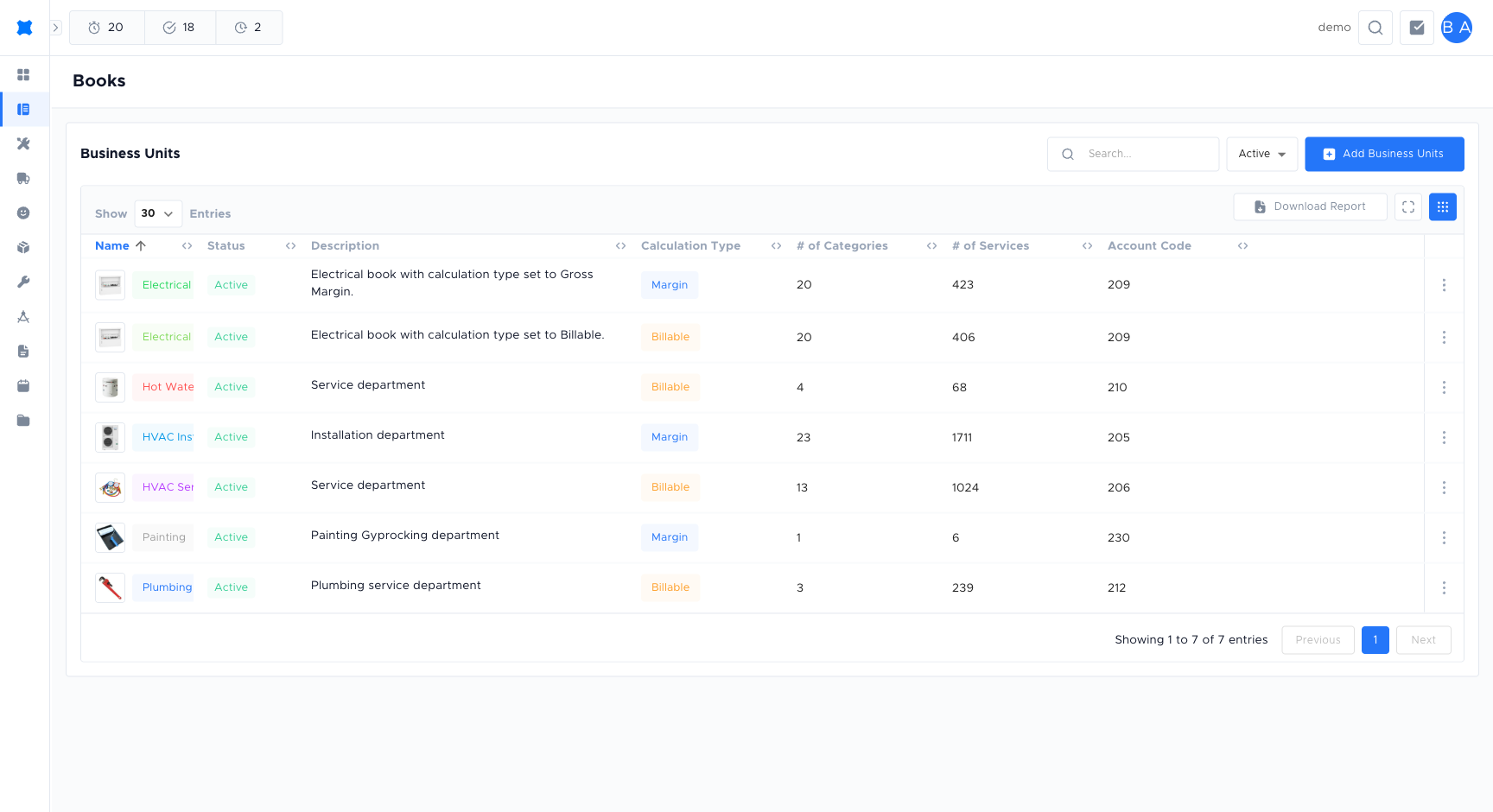
Section titled “Where to find books”Click Books in the sidebar. You will see a list of books available to you.
Opening a book
Section titled “Opening a book”-
Click Books in the sidebar.
-
Select a book from the list to open it.
-
Review the services, labour rates, and markup settings for that book.
What you can configure
Section titled “What you can configure”Inside a book, your admin can configure:
- Services included: which service types are available for quoting in this book.
- Labour rates: the hourly or per-item rates used to calculate labour costs on quotes.
- Markup rules: percentage or fixed markups applied to materials, services, or the overall quote total.
- Discounts: discount rules applied at the quote or line level within this book.
For adding and managing discount and markup rules, see Discounts & Markups.
Why it matters for quoting
Section titled “Why it matters for quoting”- Correct book: make sure you are in the right book so you see the right services, materials, and pricing.
- Correct template: use the template your company expects for that type of job so the customer receives a consistent, professional document.
Frequently asked questions
Section titled “Frequently asked questions”Can I have more than one book?
Yes. Your workspace can have multiple books (one per trade, region, or division). Ask your admin how your books are set up and which one to use for each type of job.
Who can create or edit a book?
Only users with the appropriate admin permissions can create or edit books. If you need a new book or changes to an existing one, contact your workspace owner.
Does changing a book setting affect existing quotes?
Changes to labour rates and markup rules in a book apply to new quotes only. Existing quotes keep the values they were built with.
Things to check
Section titled “Things to check”Wrong pricing on a quote
You may be in the wrong book. Check which book is selected for the quote and confirm it matches the job type or trade.
Book not visible in the list
You may not have permission to view that book. Ask your workspace owner to check your permission group settings.