Skip to content

Manage and Settings

Manage and Settings is for users with admin (or similar) rights. If you don’t see Manage in the top bar or sidebar, your role doesn’t include these tasks. Day-to-day quoting uses the main sidebar (Quotes, Clients, Services, etc.); Manage is for configuring the business.

Typical areas (names may vary by tenant):

  • Workspace / Organisation — Organisation-level settings, branding, or tenant options.
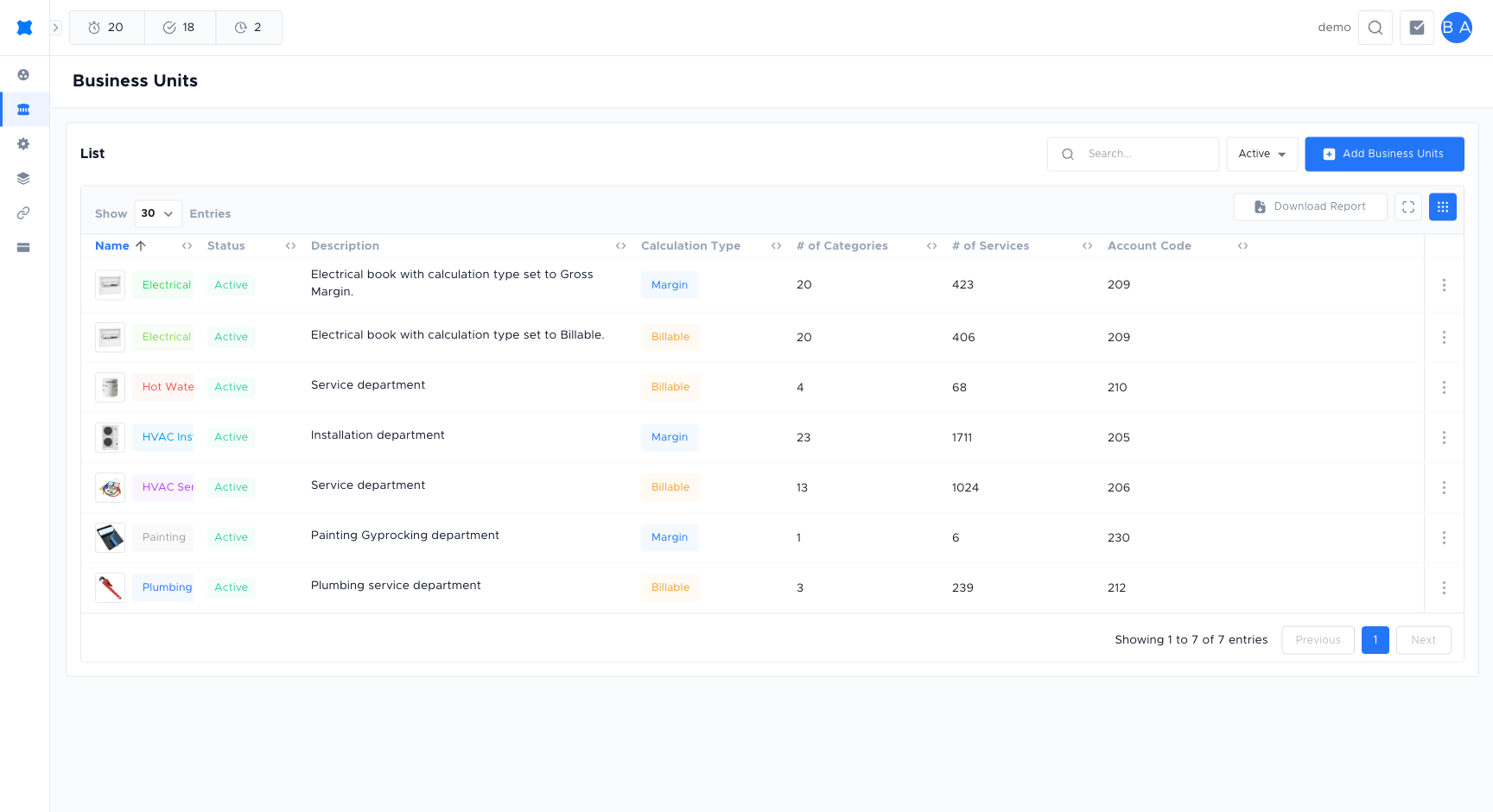
  • Business units (Books) — Create and edit books, including labour costs, markups, discounts, and which services/materials belong to which book.
  • Users and teams — Invite users, assign roles, and organise people into teams (used for permissions and sometimes for Score card / Leaderboard).
  • Labour and pricing — Default labour rates, markup rules, discount rules applied when building quotes.
  • Templates — Create and edit quote and proposal templates so sent quotes use the right layout and branding.
  • Integrations / Transfers — Configure transfer destinations (e.g. Ontraport, Aroflo, ServiceM8): credentials, mapping, and which entities to sync.
  • App settings — Feature flags, document storage, or other global options.

Here you create and edit books that contain:

  • Services — The service catalogue for that book.
  • Materials, equipments, assets — Catalogues and categories.
  • Labour and markup — How quotes are calculated.
  • Templates — Which quote/proposal templates are available.

Changes here affect all users working in that book. Test in a non-production book if your tenant has multiple.

  • Users — Invite new users by email; they receive an invite to set a password and join the organisation. Assign roles (e.g. admin, technician, view-only) so they only see what they need.
  • Teams — Group users for reporting and permissions. Teams can be used on the Score card and Leaderboard to compare performance.

Create and edit templates used when sending quotes. Templates define layout, sections, and branding. Attach templates to a book so that when users send a quote from that book, they use the correct template.

Configure Transfers destinations: connect to Ontraport, Aroflo, ServiceM8, or other systems. You usually set API keys or OAuth, choose which fields map to the external system, and enable/disable the destination. After configuration, users can start transfers from the Transfers page.

AreaPurpose
Workspace / OrganisationTenant-level settings.
Business units (Books)Service catalogues, labour, markups, templates per book.
Users and teamsInvites, roles, team structure.
TemplatesQuote/proposal layout and branding.
TransfersExternal system connections for clients and quote requests.
App settingsFeature and system options.

For day-to-day use of quotes, clients, and follow-ups, use the main sidebar. Use Manage only when you need to change how the business is set up.