
Quote Templates
What is a quote template?
Section titled “What is a quote template?”A quote template is a pre-built set of services and material lines that you can apply to a quote option in one step. Instead of adding services one by one, you apply a quote template and the standard lines for that job type are added automatically. Your admin creates and maintains quote templates in Books.
Where to find quote templates
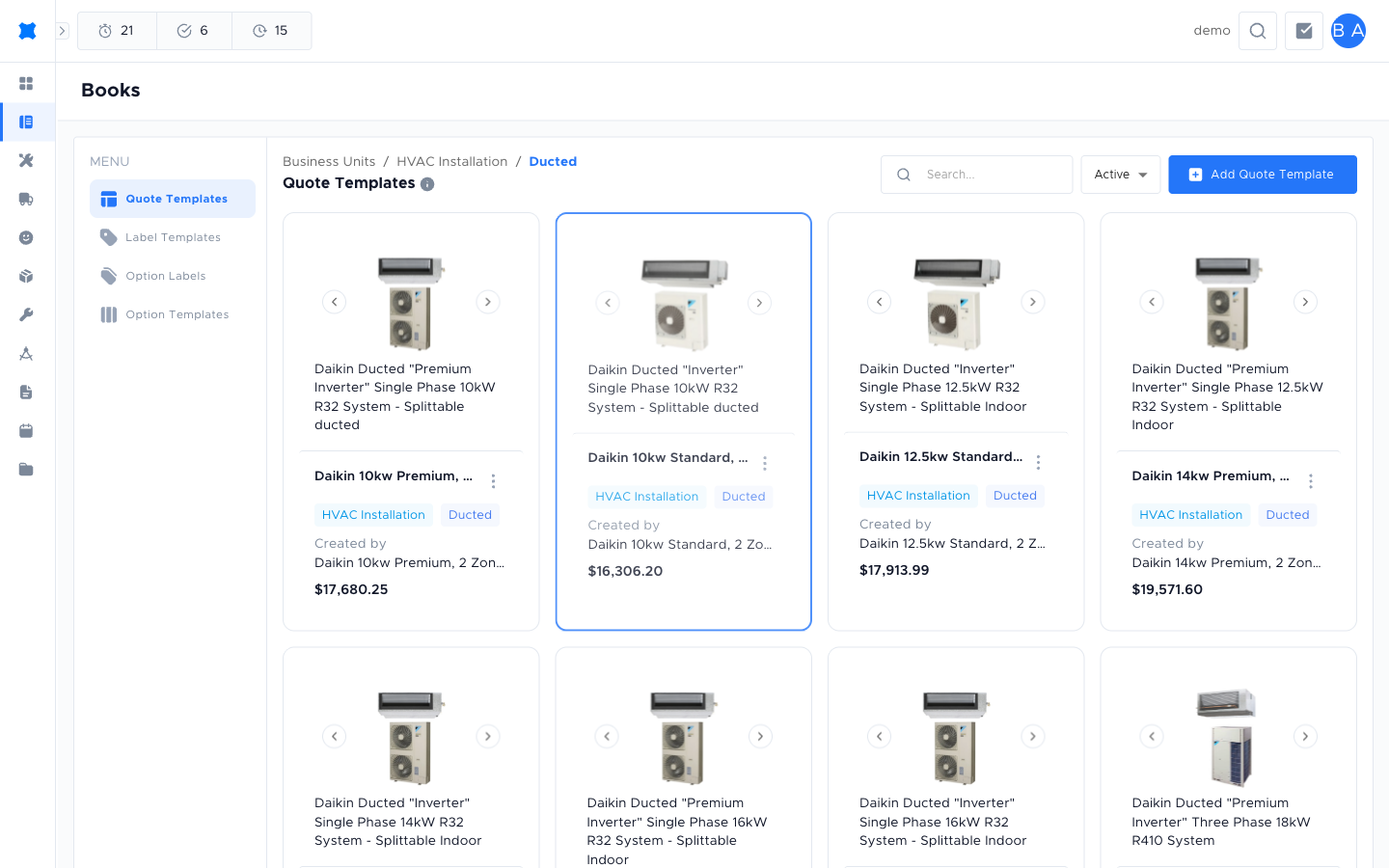
Section titled “Where to find quote templates”Go to Quotes → Books → Templates → Quote Templates tab. Quote templates are organised by business unit (e.g. HVAC Installation, Electrical Service) and then by subcategory. Drill into a category to see the individual template cards.
Template types
Section titled “Template types”Each quote template has a type that controls how lines behave when applied:
| Type | What it means |
|---|---|
| Dynamic | Lines adjust based on quantities or selections when applied to a quote option. Useful for jobs where scope varies. |
| Fixed | A fixed set of services and lines, the same every time it is applied. Useful for standard, repeatable job types. |
Creating a quote template
Section titled “Creating a quote template”-
Go to Quotes → Books → Templates → Quote Templates tab.
-
Click Add Quote Template.
-
Enter a Name and choose a Type (Dynamic or Fixed).
-
Add the services and lines that make up the template. You can also add up to two discounts from the book and save the template in Standard, Standard with Member pricing shown, or Member mode.
-
Click Save.
Adding discounts
Section titled “Adding discounts”Quote templates can combine their saved Standard or Member pricing mode with up to two discounts already set up for that book. Add them in the order you want them applied and include an optional customer-facing note for each one.
When two discounts are added, they stack in the order shown. The first reduces the option subtotal, then the second is calculated from the remaining amount. To change the order, remove the discounts and add them again in the order you want.
If a saved discount is expired, archived, or no longer available when you apply the template, Brix skips that discount and warns you. The rest of the template, including its saved Standard or Member pricing mode, is still applied, so review the new quote option and replace the skipped discount if needed.
Applying a template to a quote
Section titled “Applying a template to a quote”-
Open the quote request and go to the quote option you want to fill in.
-
Click Apply Template (or the template icon next to the option).
-
Select the quote template from the list and confirm.
-
The template’s services, lines, and available discounts are added to the quote option.
What happens next?
Section titled “What happens next?”After applying a quote template, review and adjust the lines as needed for this specific job. Then see Option Templates to choose how the quote document looks when you send it to the customer.
Things to check
Section titled “Things to check”The template applies but prices look wrong
Prices in quote templates are tied to your book (business unit). If the book’s service prices have changed since the template was created, the applied lines reflect the current prices, not the prices at template creation time.
I can’t see the Apply Template option
Your role may not include permission to apply templates. Ask your admin.
The template adds too many or too few lines
Edit the template in Manage → Books → Templates to adjust the default line set.