
Getting StartedLog in, first-time setup, and navigating the app.QuotesQuote requests, creating and sending quotes, score card.Company DashboardTeam performance widgets, metrics, and full-screen mode.ClientsFinding, adding, and managing customer records.Services & PricingServices, materials, equipment, and assets.Books & TemplatesBusiness units and proposal or quote templates.VendorsSuppliers and brands used for parts and pricing.Follow-upsSchedule and log follow-up calls and reminders.Take-off SheetsMeasurement and cost tracking sheets for jobs.To-do ListTask list, filtering, and completion workflow.TransfersSync data to Ontraport, Aroflo, or ServiceM8.DocumentsView, upload, and organise job files and photos.Manage & SettingsAdmin settings for workspace, users, and integrations.
brix helps you build accurate quotes for your customers. Whether you work in HVAC, electrical, or plumbing, you can use brix to add services, materials, and labour to a quote, send it to the customer, and track your requests in one place.
This guide is written for technicians and office staff. Use the sidebar to jump to what you need, from logging in and finding your way around to working with quote requests, clients, and more.
What you can do
Section titled “What you can do”- Create and send quotes: Build estimates from your service catalogue, materials, and labour; send them to customers and track approvals.
- Manage clients: Keep customer details, addresses, and contact info in one place and link them to quote requests.
- Track quote requests: See all requests in a list, filter by status or date, and manage follow-ups so nothing falls through the cracks.
- Use follow-ups: Schedule callbacks, log completed touchpoints, and view a timeline of activity per request.
- Sync with other tools: Transfer clients and quote requests to job-management systems (e.g. Aroflo, ServiceM8) when configured by your admin.
- View performance: Use the Score card and Wallboard to see how you or your team are performing on quotes.
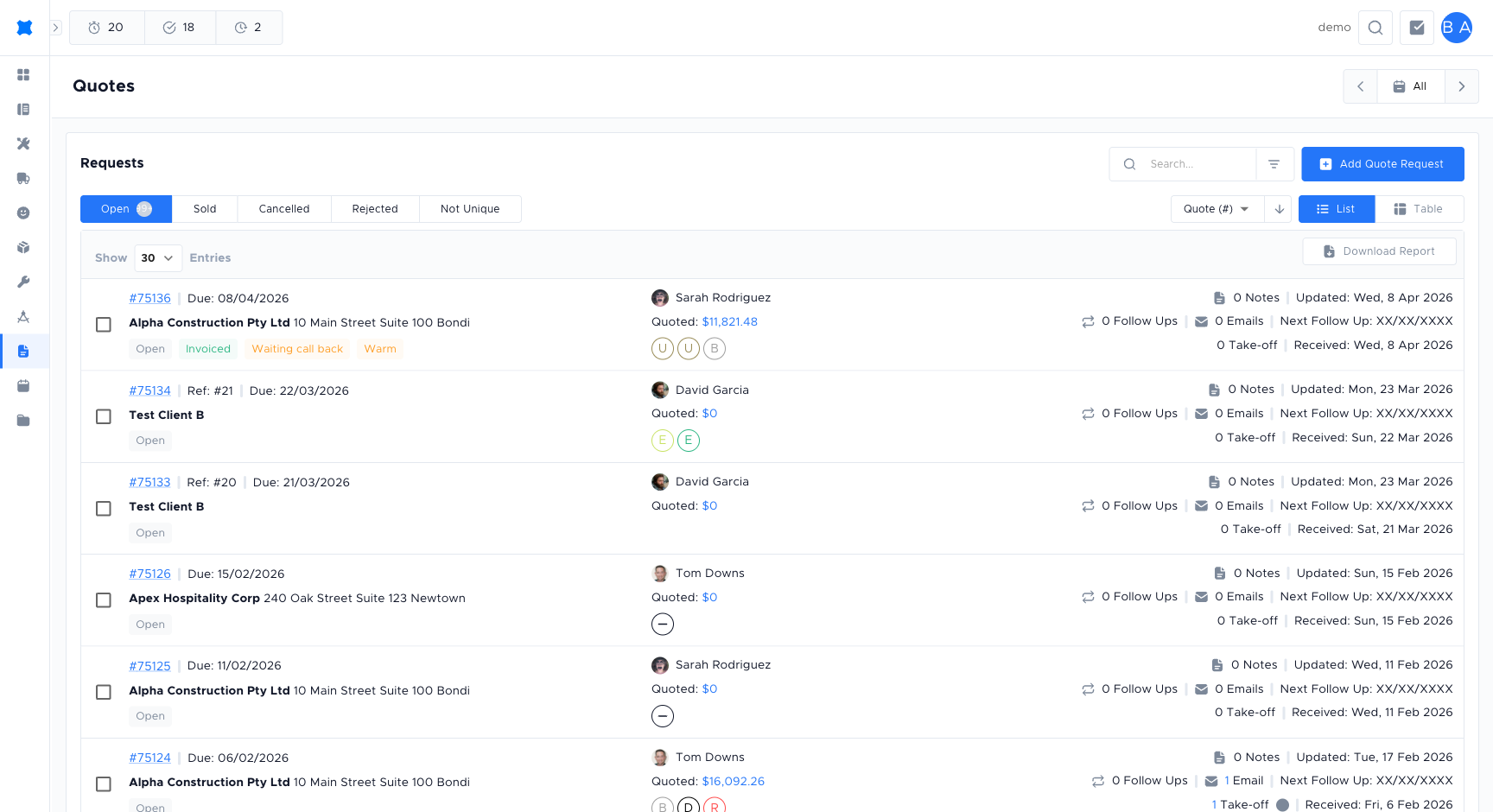
Start with Getting Started if you’re new, or choose a section from the cards above.