
Clients
What are clients?
Section titled “What are clients?”Clients are your customers, the people or businesses you do work for. brix keeps their details (name, contact, address) in one place so you can attach them to quote requests and jobs. When you create or work on a quote, you link it to a client so the quote shows the right customer and contact information.
Where to find clients
Section titled “Where to find clients”Click Clients in the sidebar. You will see a list of clients. Use the search bar to find a client by name, email, or company, and use filters to narrow by type or other criteria.
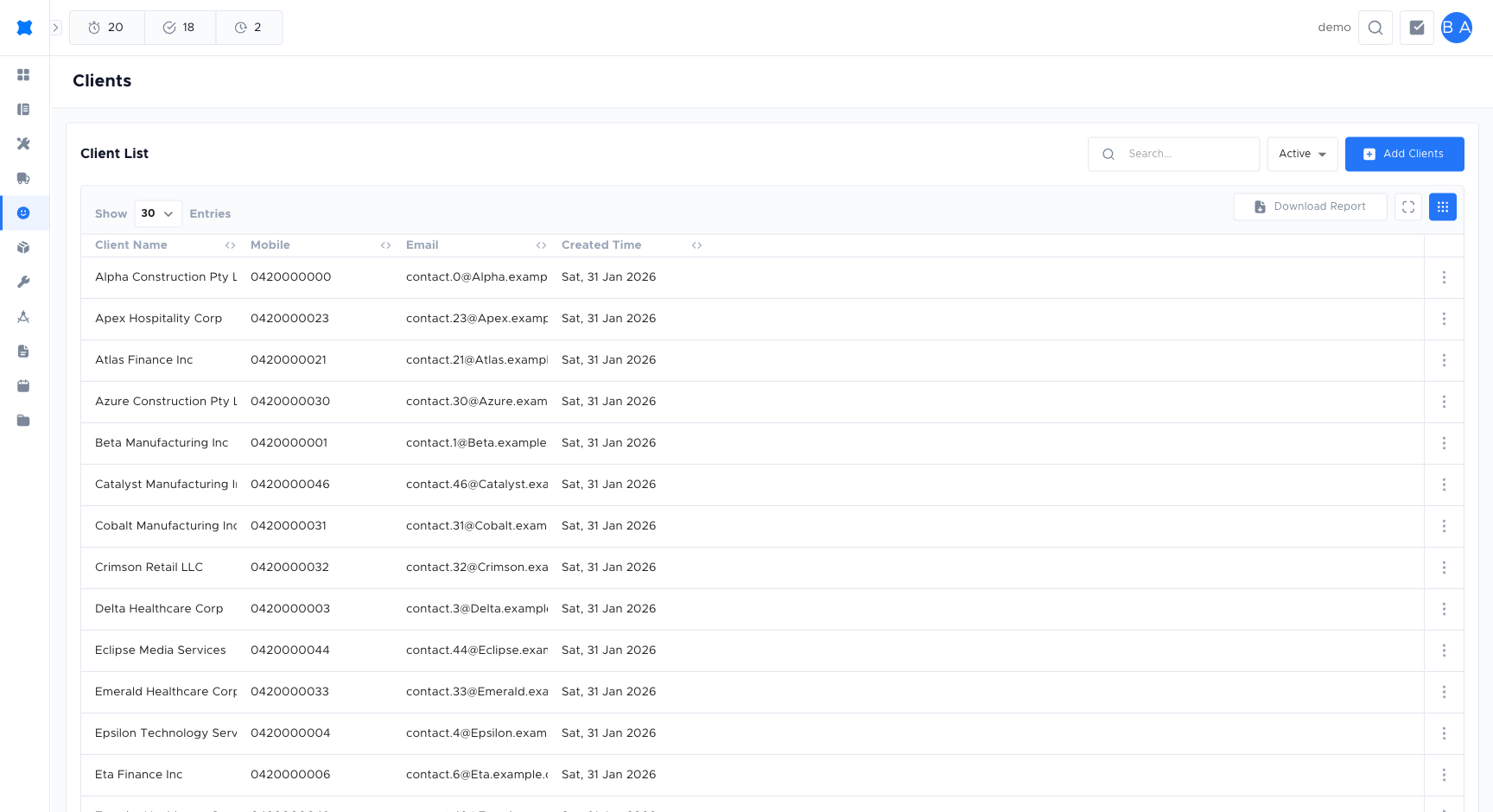
Adding a client
Section titled “Adding a client”-
Click Clients in the sidebar.
-
Click Add client.
-
Enter the client’s name, phone number, and address. Add an email address if you have it, as it helps when sending quotes.
-
Click Save to create the client record.
Editing a client
Section titled “Editing a client”-
Open the client from the list.
-
Click Edit (or the pencil icon).
-
Update the fields you need: name, contact details, address, or notes.
-
Click Save. Changes apply everywhere that client is used, such as existing quote requests that show the client’s details.
Client statuses
Section titled “Client statuses”| Status | Meaning |
|---|---|
| Active | The client is available when creating quote requests. |
| Archived | The client is hidden from the quote builder but not deleted. Previous quotes are retained. |
Client details
Section titled “Client details”When you open a client, you will see their details in a card or detail view. Typical fields include:
- Name: Person or business name.
- Email and phone: Primary contact details.
- Address: Site or billing address used for quotes and jobs.
- Quote requests: List or count of quotes linked to this client so you can jump to them.
- Agreements: The agreements assigned to this client’s locations, with their status and next renewal, if your company uses Agreements.
- Notes: Free-text notes visible to your team.
- Documents: Attached files or photos, if the Documents feature is enabled.
Keeping client details up to date helps with quoting and follow-up. If your company uses integrations (such as a job management system), clients may also be created or updated from those systems via Transfers.
Frequently asked questions
Section titled “Frequently asked questions”Can I merge two client records?
No, brix does not currently support merging client records. Keep client details up to date to avoid duplicates.
Can I delete a client?
You can archive a client to remove them from active lists, but you cannot permanently delete a client record that has associated quotes.
How do I find a client quickly?
Use the search bar at the top of the Clients list. You can search by name, phone, or address.
Things to check
Section titled “Things to check”Client not appearing in the quote builder
The client may be set to Archived. Open the client record and set the status to Active.
Duplicate client records
Search by phone number before adding a new client to avoid creating duplicates.