
Assets
What are assets?
Section titled “What are assets?”Assets in brix are tracked items (such as hired equipment, company vehicles, or tools) that may be linked to a job or quote for costing or tracking. Depending on your setup, adding an asset to a quote can add a line item or record usage without a separate line.
Your admin configures what counts as an asset and how they affect quote totals or job tracking. The exact behaviour can vary by book.
Where to find them
Section titled “Where to find them”Click Assets in the sidebar. You will see the list of assets available in your catalogue.
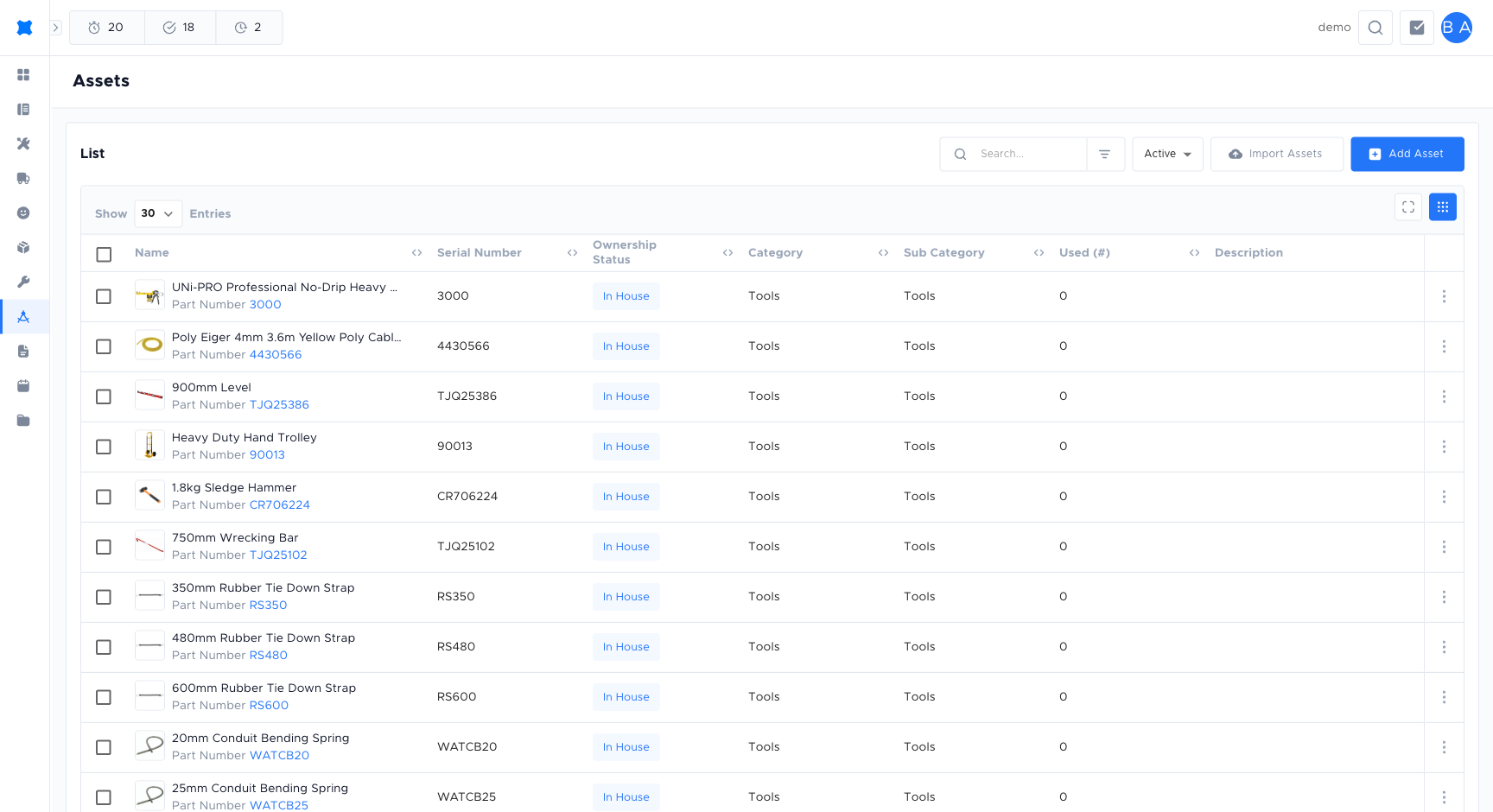
Adding an asset
Section titled “Adding an asset”-
Click Assets in the sidebar.
-
Click Add Asset.
-
Enter the asset name, description, and rate or pricing rule (for example a daily hire rate or fixed cost).
-
Set the status to Active to make it available in quotes.
-
Click Save.
Asset statuses
Section titled “Asset statuses”| Status | Meaning |
|---|---|
| Active | The asset is available to link to quotes and jobs. |
| Inactive | The asset is hidden from the quote builder but not deleted. |
Using assets in a quote or job
Section titled “Using assets in a quote or job”Depending on your setup, assets might be used to:
- Add a line to the quote: For example “Hire: scissor lift” with a daily or fixed rate.
- Record usage: Link an asset to the job for tracking or costing without showing a separate line.
Follow your company’s process. If you are unsure whether to add an asset as a line or link it for tracking only, check with your admin or team lead.
Frequently asked questions
Section titled “Frequently asked questions”What is the difference between assets and equipment?
Equipment is a unit or machine with a price that you add as a standard quote line. Assets are tracked items linked for costing or usage recording, often hired or shared resources like vehicles or scaffolding. See Equipments for more detail.
Can I use the same asset on multiple jobs?
Yes. An asset in the catalogue can be linked to as many jobs or quotes as needed.
Who can add or edit assets?
Your permission group controls this. If you cannot see an Add or Edit button, ask your workspace owner to check your permissions.
Things to check
Section titled “Things to check”Asset not appearing in the quote builder
The asset may be set to Inactive. Open the asset record and set the status to Active.
Asset rate is not showing on the quote
Check with your admin whether the asset is configured to show as a quote line or as a tracking-only link. The behaviour depends on your book settings.